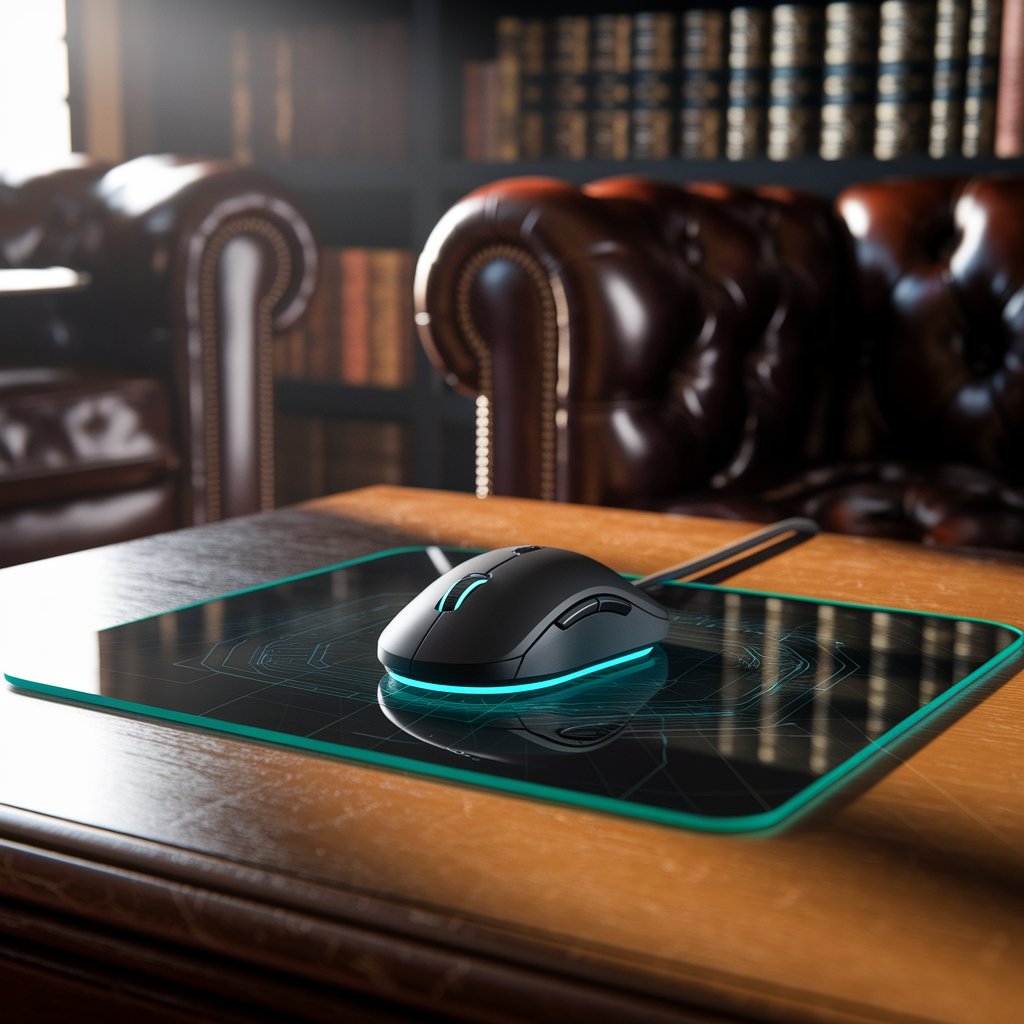
Glass Mouse Mat: Speed, Precision and Performance for Gaming in 2026
A glass mouse mat is becoming an increasingly popular choice for gamers and PC users who want a fast, smooth, and consistent surface for mouse movement. Unlike traditional cloth mouse pads, a glass mouse pad uses a rigid surface that is designed to provide very low friction while maintaining reliable mouse tracking. This makes it particularly interesting for FPS players, aim-training enthusiasts, e sports users, and anyone who prefers a quick and effortless glide. In 2026, glass gaming mouse mats have also developed beyond the basic idea of putting a sheet of glass underneath a mouse. Modern designs can feature tempered glass, micro-etched surfaces, protective coatings, anti-slip bases, rounded edges, sound-dampening treatments, and ultra-thin profiles.
What Is a Glass Mouse Mat?
A glass mouse mat, sometimes called a glass mouse pad or glass gaming mouse pad, is a hard mouse surface specifically designed for computer mice. Unlike ordinary glass, gaming-oriented glass mats are engineered with a surface treatment that helps the mouse sensor detect movement while also providing a particular level of friction and glide. Many products use tempered glass, which is processed for greater strength and impact resistance, while the top surface may include microscopic texturing or a matte treatment. Razer’s Atlas range, for instance, uses tempered glass with 2 μm micro-etched texturing designed to work with optical sensors. This type of engineering is important because a mouse sensor needs a suitable surface to track movement accurately, especially when the player is making rapid flicks or small adjustments.
Why Do Gamers Choose a Glass Mouse Mat?
The biggest attraction of a glass mouse mat for gaming is its fast and smooth glide. Glass generally creates less resistance than many soft surfaces, allowing a mouse to move quickly across the pad without requiring as much physical effort. This can be useful in competitive games where players make fast flicks, sweeping movements, and repeated tracking adjustments. A low-friction surface can also feel particularly responsive when paired with a lightweight gaming mouse and suitable mouse feet. Razer describes its glass gaming mats as providing an ultra-smooth surface with low resistance, while its Atlas Pro is specifically designed around fast and consistent mouse movement.
Main Benefits of a Glass Mouse Pad
One of the major glass mouse pad benefits is the combination of speed and consistency. Users who prefer a fast surface can move the mouse across a glass mat with very little resistance, which can make large movements feel effortless. This characteristic is particularly relevant to FPS gaming, where low-sensitivity players may need to move their mouse across a large portion of the desk during a single turn. A sufficiently large glass gaming mouse mat can provide the physical space required for these movements while maintaining a uniform surface from one side to the other. Modern products are increasingly designed around this use case, with large formats such as 500 × 400 mm appearing in current gaming products.
Another advantage is easy maintenance. A glass mouse mat does not have woven fibers that can absorb moisture and collect dirt in the same way as cloth. Dust, fingerprints, and everyday marks can generally be wiped from the surface with an appropriate soft cloth. Some products also include protective coatings intended to make the surface easier to clean and more resistant to everyday marks. Razer states that its Atlas Pro has a protective coating for easier cleaning and a 9H-rated surface intended to resist scratches from everyday objects.
Glass Mouse Pad vs Cloth Mouse Pad
The glass mouse pad vs cloth mouse pad comparison is important because the two materials provide noticeably different experiences. A glass mouse pad generally emphasizes speed, smoothness, and consistency, while a cloth mouse pad normally provides more friction and a softer surface. Someone who prefers fast mouse movement may enjoy the effortless glide of glass, whereas another player may prefer the resistance of cloth because it can feel easier to control during precise stopping movements. CORSAIR describes hard and soft mouse pads as two different surface categories and notes that surface type is an important part of choosing a mouse pad.
Comfort is another difference worth considering. A cloth mouse pad normally has some cushioning and may feel softer against the wrist and forearm, while glass is rigid and can feel harder during long sessions. Modern glass products try to address this through low-profile designs and rounded edges. Razer’s Atlas Pro, for example, has a 1.9 mm overall thickness and rounded edges intended to create a more seamless interaction between the desk, mat, and wrist.
What to Look for in a Glass Gaming Mouse Mat
The second consideration is surface texture and mouse sensor compatibility. A completely ordinary piece of glass is not necessarily suitable for gaming because the mouse sensor needs a surface that allows reliable tracking. Gaming glass mats can therefore use micro-etched textures to help optical sensors detect movement. Razer specifies 2 μm micro-etching on its Atlas products, while CORSAIR’s MM Glass Large uses 0.2 μm micro-etching according to its published specifications. These differences show why it is important to check the manufacturer’s specifications rather than assuming that all glass surfaces feel or track the same way.
The base and edges should also be considered. An anti-slip base keeps the mouse mat stable during rapid movement, while rounded or sculpted edges can reduce interference with the wrist, clothing, or mouse cable. Thickness is another consideration because a thinner glass mouse mat creates a smaller height difference between the desk and the mouse surface. In 2026, ultra-thin designs have become one of the notable developments in the category, with the Razer Atlas Pro measuring only 1.9 mm across its complete construction.
Mouse Feet and Glass Mouse Mat Compatibility
Mouse feet play an important role when using a glass mouse mat. The feet are the parts of the mouse that physically contact the surface, so their material and condition can affect both glide and durability. PTFE mouse feet are commonly recommended for hard mouse surfaces, but users should always check the manufacturer’s guidance for their particular mouse pad. Razer specifically recommends using original mouse feet or equivalent PTFE replacements with its Atlas products and warns that unsuitable materials may cause unexpected wear to the mouse feet, the mat, or both.
Keeping both the glass surface and the mouse feet clean is also important. Dust and small particles can get underneath the mouse and change the feeling of the glide. With a fast surface, even a small amount of debris may become noticeable because there is less friction between the mouse and pad. Regularly wiping the glass with a soft, appropriate cloth and checking the mouse feet for wear can help maintain a consistent experience. Users should follow the cleaning instructions supplied with their specific glass mouse mat, particularly when the product has a special surface coating.
How to Clean a Glass Mouse Mat
Cleaning a glass mouse pad is generally easier than cleaning a fabric pad, but it should still be done carefully. Dust should first be removed gently rather than rubbed aggressively across the surface. A soft, slightly damp cloth can then be used to wipe away fingerprints, skin oils, and other marks. Razer recommends periodically cleaning its Atlas Pro with a warm, damp cloth and keeping the mat on a flat, level surface.
Avoid abrasive materials and harsh cleaning methods unless they are specifically approved by the manufacturer. This is especially important when the glass has a special coating or matte treatment. The purpose of cleaning is not only appearance; it can also help maintain consistent tracking and glide. The bottom of the mouse should be cleaned as well because particles trapped around the mouse feet can affect movement even when the glass itself looks perfectly clean.
Is a Glass Mouse Mat Worth It in 2026?
Whether a glass mouse mat is worth buying in 2026 depends mainly on the type of mouse experience you prefer. If you want fast movement, low friction, easy cleaning, and a rigid surface that remains consistent, glass can be an attractive option. It is especially relevant for gamers who enjoy fast FPS movement and players who want a premium-looking desk setup. The current market also shows that manufacturers are continuing to improve glass products rather than treating them as a niche experiment. Razer introduced its ultra-thin Atlas Pro in April 2026, while CORSAIR introduced its first glass gaming mouse pad, the MM Glass Large, in March 2026.
At the same time, buyers should not assume that glass is automatically better than cloth. The two surfaces are designed around different preferences. A player who wants maximum speed may enjoy glass, while someone who wants more friction, cushioning, or a softer wrist feel may prefer cloth. The most useful approach is to consider your mouse sensitivity, game genre, preferred glide, desk space, mouse feet, and comfort before choosing a surface.
Frequently Asked Questions
Is a glass mouse mat good for gaming?
Yes, a glass mouse mat can be an excellent gaming surface, especially for users who prefer fast and smooth mouse movement. Modern glass gaming mats can include micro-etched surfaces specifically designed for optical sensors and anti-slip bases for stability.
Is a glass mouse pad better than cloth?
Neither surface is universally better. A glass mouse pad generally offers a faster, harder, and smoother experience, while cloth usually provides more friction and cushioning. The right choice depends on your preferred control, speed, sensitivity, and comfort.
Do glass mouse mats damage mouse feet?
A glass surface can contribute to mouse-foot wear depending on the material and condition of the feet. Using suitable PTFE mouse feet and keeping the surface clean can help. Always follow the manufacturer’s compatibility recommendations.
Do glass mouse pads work with optical sensors?
Yes. Gaming-specific glass mouse pads can be designed for optical mouse sensors. Manufacturers use micro-etched or otherwise treated surfaces to support reliable tracking.
Are glass mouse mats noisy?
They can be, although modern products increasingly include treatments designed to reduce sound. CORSAIR’s MM Glass Large, for example, uses a matte sound-dampening treatment, while Razer’s Atlas range also uses surface treatment intended to make swipes quieter.
How do you clean a glass mouse mat?
Use a soft, non-abrasive cloth and follow the manufacturer’s cleaning instructions. Razer recommends a warm, damp cloth for its Atlas Pro and advises keeping the mat on a flat surface.
Conclusion
A glass mouse mat offers a distinctive combination of speed, smoothness, consistency, and easy maintenance that has made glass surfaces increasingly popular among modern PC users and gamers. The category has continued to evolve in 2026, with products introducing features such as tempered glass, micro-etched optical tracking surfaces, anti-slip bases, rounded edges, sound-dampening treatments, protective coatings, and ultra-thin construction. These improvements make modern glass gaming mouse mats considerably more specialized than ordinary hard mouse surfaces.
The best choice ultimately depends on how you use your mouse. If you prefer fast and fluid movement, a glass mouse pad may provide the experience you are looking for. If you prefer more friction, cushioning, and a softer feel, a cloth mouse pad may be more suitable. Before purchasing, pay attention to size, surface texture, sensor compatibility, mouse feet, thickness, edge design, base stability, cleaning requirements, and personal comfort. By considering these factors instead of choosing based only on the material, you can select a glass mouse mat that fits your gaming style and everyday computer setup.